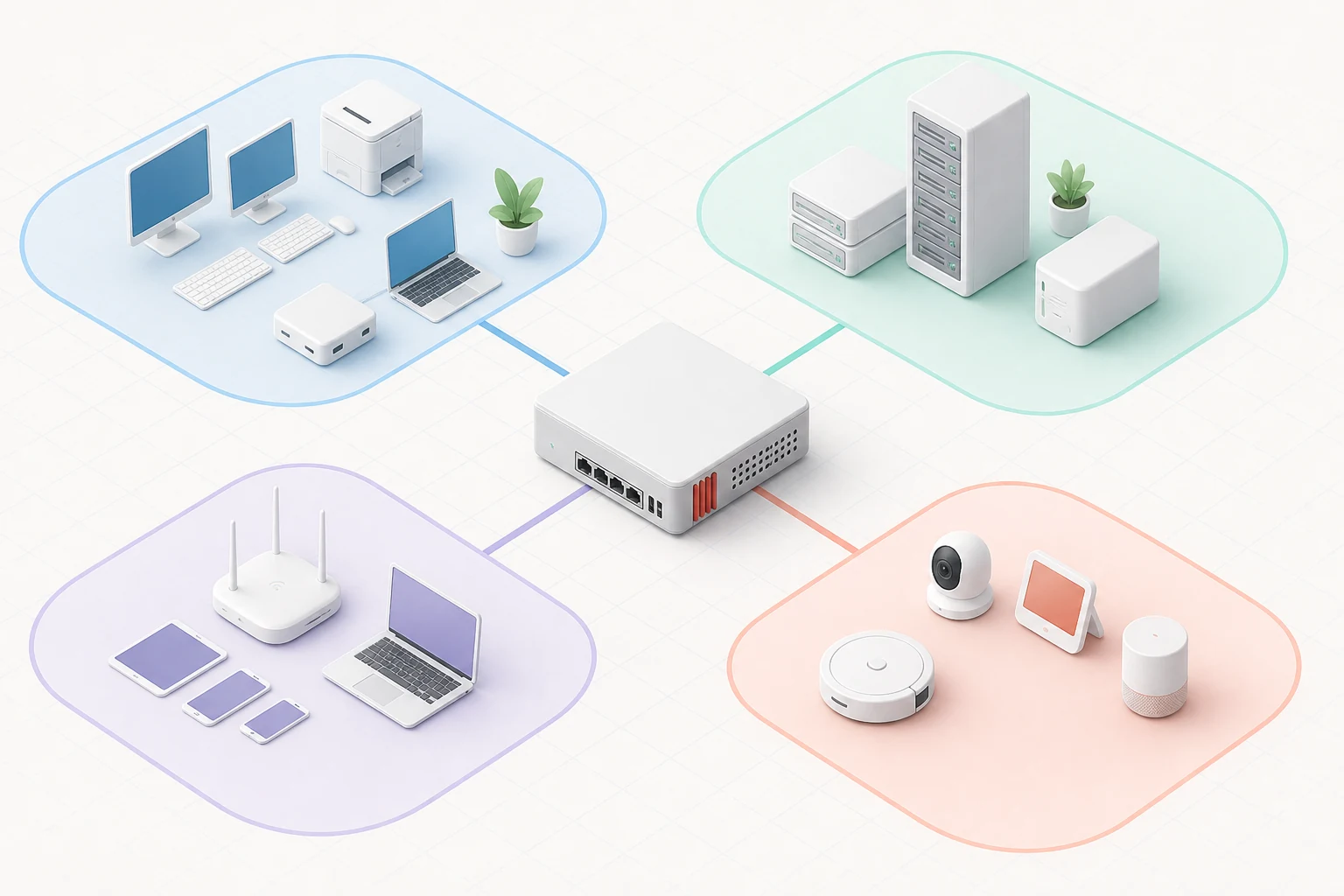
A single flat network feels simple until the day a guest laptop scans the office for open shares, an IoT camera phones home to a server you have never heard of, or a curious teenager discovers the network printer and decides to experiment. VLANs are the cheap, time-tested answer. They cost nothing in software, they ride on switches you already own, and they turn a flat LAN into a series of isolated zones that the firewall can police individually. OPNsense makes the configuration surprisingly approachable — once you understand the moving parts, the rest is mostly careful planning and a cup of coffee.
Why Segmentation Matters
The traditional defence-in-depth argument applies here. Every device on your network runs code with bugs, and those bugs are easier to exploit when a compromised workstation can immediately reach the file server, the database or the management interface of a router. Segmentation contains the blast radius: a guest who joins the Wi-Fi can browse the internet but never touches the corporate subnet, an IoT device can reach its cloud service but cannot enumerate the rest of the LAN, and backups live on a VLAN that only the backup server can read.
For home networks the same logic protects you from mistakes made by guests, roommates and the inevitable smart toaster that ships with questionable firmware. For small businesses it is the difference between a contained incident and a front-page breach. And OPNsense lets you design all of it from a single interface, with rules that read like English sentences.
Designing a Sensible VLAN Layout
Before touching the firewall, sketch the zones you actually need. Most installations end up with somewhere between three and seven VLANs, and the exact list depends on what you are protecting. A common starting point looks like this:
- VLAN 10 — Management: firewall, switches, access points, IPMI interfaces.
- VLAN 20 — Corporate or trusted clients: staff laptops, desktops, printers.
- VLAN 30 — Voice: IP phones and conferencing gear with QoS priority.
- VLAN 40 — Servers: virtualisation hosts, file servers, internal applications.
- VLAN 50 — Guest Wi-Fi: isolated internet-only access through a captive portal.
- VLAN 60 — IoT and smart devices: televisions, thermostats, sensors — outbound only.
Pick VLAN IDs that match the rest of your stack and document them in a place everyone on the team can find. Consistency matters because the numbers you choose today will appear in switch configs, documentation and firewall aliases for years.
Creating VLAN Interfaces in OPNsense
Inside OPNsense, a VLAN is just a tag on an existing parent interface. Go to Interfaces → Other Types → VLAN, add the VLAN ID and the parent NIC, save the row, then assign the new interface under Interfaces → Assignments. Enable it, give it a static IPv4 range and, if you use IPv6, a routed prefix from your provider. Repeat for every zone on your list — fifteen minutes of clicking is usually enough to wire a small office.
Tagging the switch side is the step most newcomers forget. A managed switch needs the corresponding ports set as trunk members of the same VLAN IDs, otherwise the frames never reach the firewall. Many consumer switches refuse to tag traffic at all, which is a good prompt to upgrade to a managed model that costs little more than a fanless appliance.
DHCP, DNS and Aliases per Segment
With the interfaces up, give each one a DHCP server, a DNS resolver and a useful set of aliases. OPNsense ships an unbound-based resolver that answers queries locally and forwards anything it does not know, which dramatically speeds up name lookups for the whole network. For the guest VLAN, configure the resolver to use the provider's DNS and disable logging; for the management VLAN, enable logging and DNSSEC validation so you can audit changes later.
Aliases are the secret weapon of a tidy rule set. Group hosts, networks and ports into named buckets once and refer to them in every firewall rule that follows.
Writing Firewall Rules That Match Your Intents
The default "allow LAN to anywhere" rule is convenient, but it is exactly what segmentation is meant to undo. Replace it with explicit rules per VLAN: corporate clients can reach the servers VLAN but not the management VLAN, IoT devices get outbound internet only, the guest VLAN is rate-limited and isolated from everything internal. The rule editor in OPNsense lets you describe the intent in plain language, which makes audits and incident response significantly easier.
A useful trick is to start with everything denied and add only the flows you genuinely need. The process takes longer than a permissive default, but the rule table ends up small, the comments read like a short story, and you can explain every line to a colleague in five minutes. That documentation is itself a security control: when a rule no longer matches reality, someone is more likely to notice.
Verifying the New Layout
Once the rules are in place, take an hour to verify them. Connect a laptop to each VLAN in turn and run nmap, ping and traceroute against networks that should — and should not — be reachable. Cross-check the live firewall log to see which line actually caught each denied probe. A misconfigured trunk port or a forgotten pass rule is far easier to fix on a quiet Tuesday afternoon than during an incident, so treat the verification step as part of every VLAN project rather than an optional extra.
Where to Start
Most of the hardware you need is already in your rack; what changes is how you think about the traffic it carries. Boot the opnsense iso on a spare appliance, sketch two or three VLANs for your environment, and spend a Saturday afternoon carving your flat network into trustworthy zones. By the time your coffee goes cold you will have a layout that scales with your family, your team or your small business for years.